Prices exclude VAT — applicable tax is calculated at checkout.
FAQ
Questions, answered
Everything about routing audio between apps on your Mac.
How do I route audio from one app to another on a Mac?
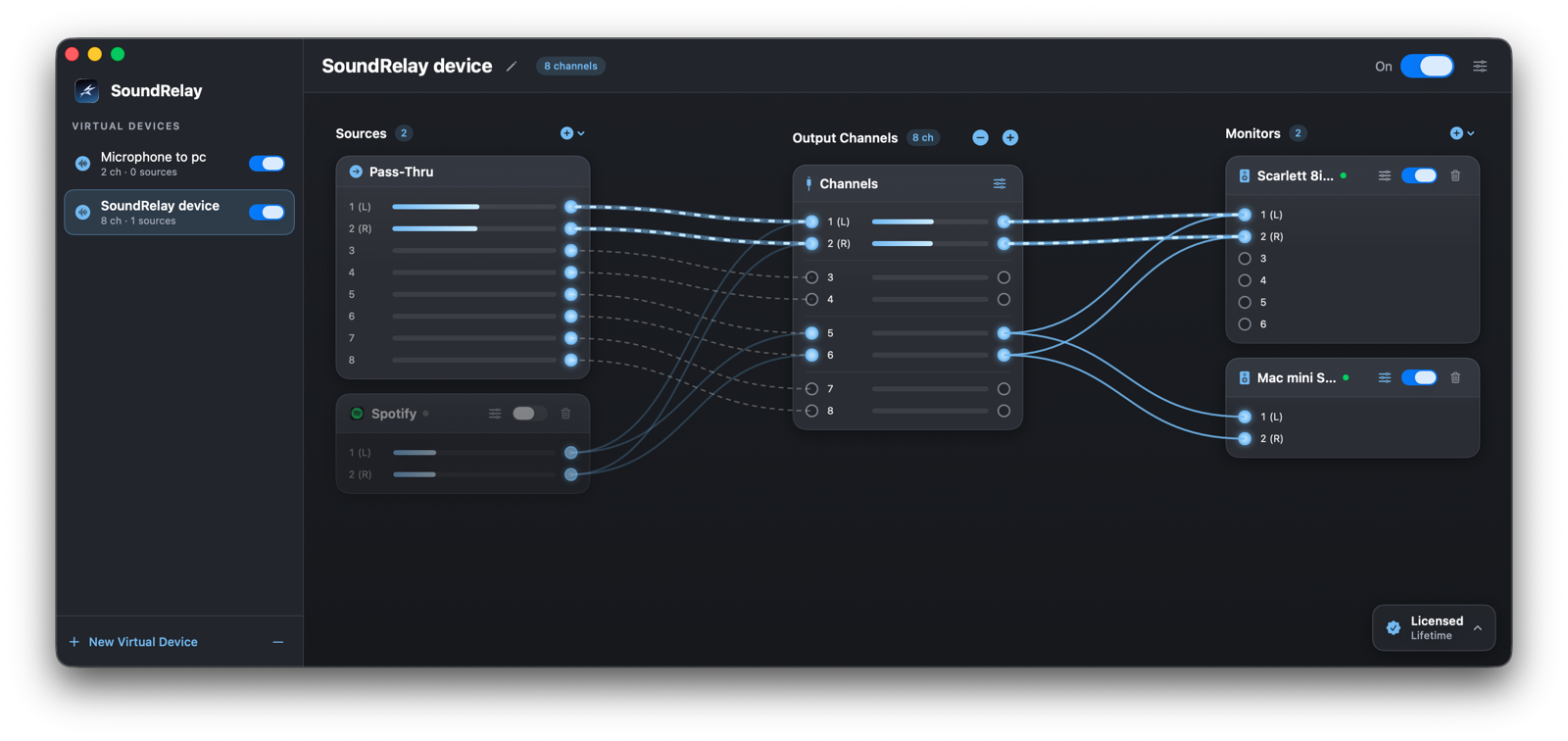
macOS has no built-in way to route audio between apps. SoundRelay solves this with virtual audio devices: capture any app, microphone or system audio, wire it to a virtual output in a visual graph, and any other app can use that device as its input — Zoom, OBS, your DAW, anything.
Does SoundRelay work with Zoom, OBS and Discord?
Yes. SoundRelay devices appear as regular microphones and speakers in macOS, so every app that can pick an audio device works with it — Zoom, OBS, Discord, Teams, QuickTime, Logic Pro, browsers and more.
Can I record system audio on macOS with SoundRelay?
Yes. Add a system-audio source (or capture a single app), route it to a virtual device, and point any recorder at that device. You get a clean digital copy of the sound — no cables, no re-recording through a mic.
Can I use SoundRelay for podcasting?
Yes — that's one of the most common setups. Combine your microphone with the audio from a remote guest (Zoom, Discord, FaceTime) into a single virtual device, then select that device as the input in your recorder or DAW. You get one clean, perfectly mixed track, with live level meters on every line.
How do I record streaming or gameplay audio with OBS on a Mac?
Route your game or browser audio and your microphone into one SoundRelay device, then pick it as an audio source in OBS. Because you choose exactly which apps are captured, you can keep chat apps like Discord out of the stream while still hearing them yourself.
Can I route audio into Logic Pro, Ableton or GarageBand?
Yes. A SoundRelay device appears as a normal audio input, so any DAW — Logic Pro, Ableton Live, GarageBand, Reaper — can record from it. It's the simplest way to pipe a synth, a browser or any other app straight into a track as if it were a hardware input.
How does the free trial work?
Download and use the full app free — no account, no credit card. Each session includes a trial window; when it ends, output audio is muffled until you relaunch, which resets the trial. So you can test your whole setup before you buy.
Is SoundRelay safe to install?
SoundRelay uses no kernel extensions — it's built entirely on Apple's supported Core Audio APIs. All audio stays on your machine, the app needs only the standard macOS microphone and audio-recording permissions, and you can uninstall it cleanly at any time.
On how many Macs can I use my license?
A license is active on one Mac at a time, and you can move it between machines whenever you like — deactivate on the old Mac and activate on the new one, or manage devices from the website.
What does “lifetime” mean exactly?
You pay once and the license never expires — it includes all future updates of SoundRelay, not just the current version. No upgrade fees, no subscription.
Does my audio ever leave my Mac?
Never. All routing and mixing happens locally in Core Audio on your machine. SoundRelay has no cloud component, no account and no analytics on your audio.
Which Macs and macOS versions are supported?
SoundRelay requires macOS 14.4 (Sonoma) or later and runs natively on both Apple silicon and Intel Macs.